
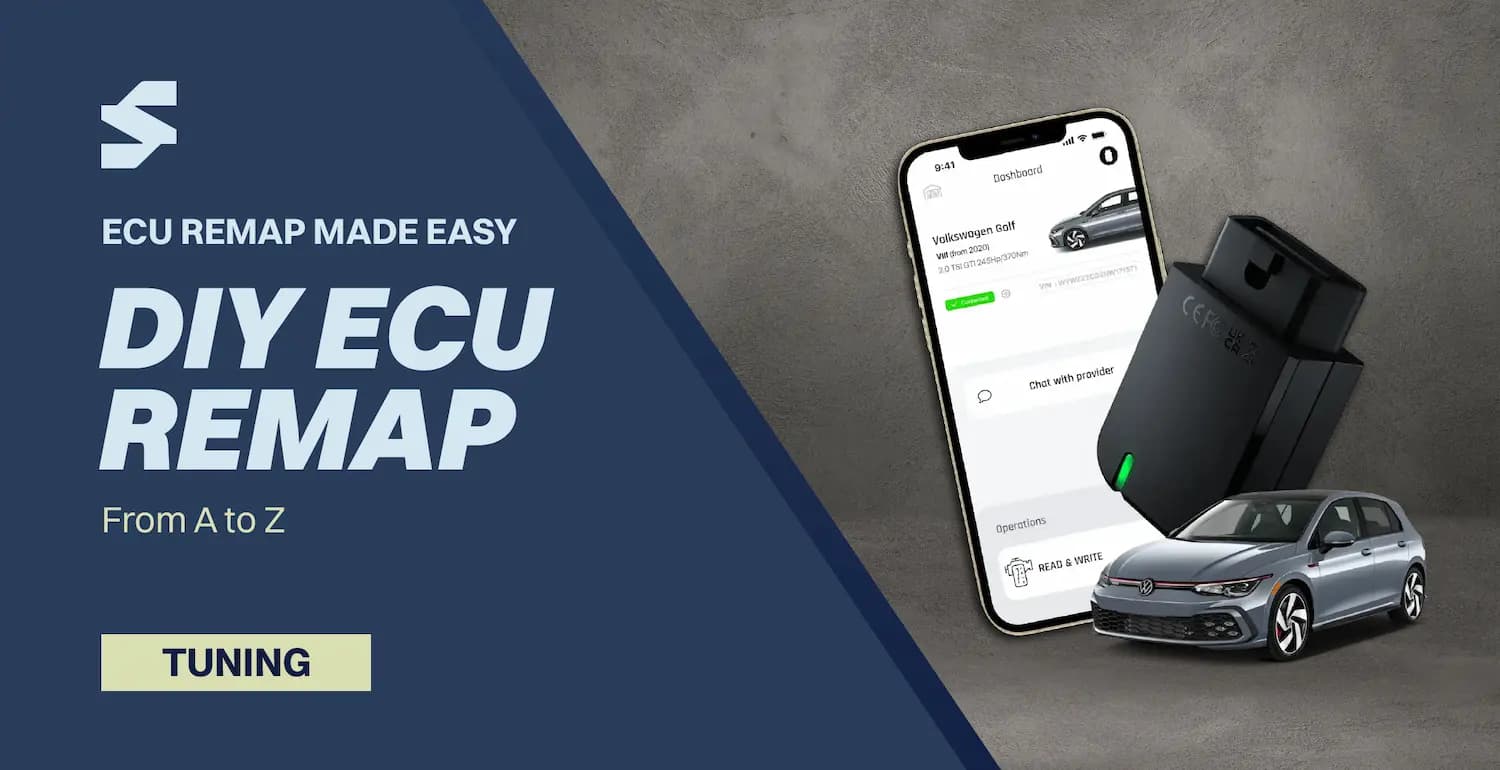
Can I Remap an ECU myself? | Remap at Home
Quick answer: Yes, you can remap an ECU yourself, in two ways. To write your own tuning file, you need a read/write tool such as Alientech KESS3, editing software such as WinOLS or ECM Titanium, a Windows laptop and training. If you only want to tune your own car, a tuner can supply a personal flasher such as Alientech Powergate, Autotuner One or Dimsport MyGenius: you read the ECU through the OBD port, the tuner edits the file, and you write it back. Keep a battery charger connected while you flash.
If you’ve ever wondered whether it’s possible to remap your car’s ECU without going to a workshop, the short answer is simple:
Yes, you can remap an ECU yourself.
But there are two very different ways to do it, and which one is right for you depends on how deep you want to go into the world of chiptuning.
In this guide, we’ll break down both options clearly so you can choose the safest and most effective approach.
Two ways to remap an ECU yourself at a glance
| Option 1: learn to tune | Option 2: remote tune with a personal flasher | |
|---|---|---|
| Who writes the tuning file | You | A professional tuner |
| What you need | A read/write tool (for example Alientech KESS3, AutoTuner or Magicmotorsport FLEX), editing software (WinOLS, ECM Titanium or StageX), a Windows laptop and a battery charger | A personal flasher (Alientech Powergate, Autotuner One or Dimsport MyGenius) from your tuner, plus a smartphone (Powergate, Autotuner One) or a Windows PC (MyGenius) |
| How the ECU is read | OBD, bench or boot, depending on the ECU and the tool | OBD port only |
| Cars you can tune | Any car your tool and software support | Only the car the device is tied to |
| Example software cost | WinOLS 5: €1,034.11 incl. 19% VAT (EVC). ECM Titanium FULL: €2,390 estimated price, with a 12-month subscription (Alientech). The read/write tool costs extra. | Set by your tuner (device and file) |
| Main risk | You are responsible for every map change, so change one map at a time and datalog it | A write interrupted by low battery voltage can leave the ECU unable to start the car |
Sources: Alientech (KESS3, ECM Titanium, Powergate), AutoTuner (AutoTuner tool, AT One), Dimsport MyGenius user manual, EVC (WinOLS), Magicmotorsport (FLEX). Checked 18 November 2026.
Option 1: Learn to Remap the ECU Yourself (Our Complete Remapping Course)
If your goal is not only to flash a tuning file but to understand the entire remapping process, then the best path is to learn how ECU tuning actually works. This means understanding:
• How an ECU operates
• What each map and parameter does
• How to safely modify maps
• How to read and write ECUs using different programmers
• How to identify tuning strategies for different brands
• How to diagnose problems and avoid damaging the ECU or engine
What You Will Learn in Our ECU Remapping Course
In our full professional training program, we teach you everything from zero to advanced, including:
1. Reading & Writing ECUs
You will learn how to work with all common tools used by tuners, such as:
• Bench programmers
• OBD flashers
• Boot mode connections
• Backup strategies
• Safe flashing techniques
We show you how to use each tool step-by-step so you fully understand how to extract the ECU file safely and how to write your modified file back.
2. Understanding ECU Structure & Maps
We break down the internal structure of an ECU file and teach you how to identify and modify:
• Torque maps
• Boost pressure maps
• Injection maps
• Lambda maps
• Ignition timing
• Limiters
You’ll learn professional map editing using industry-standard software such as:
• WinOLS
• ECM Titanium
• StageX
• And other calibration tools
3. How to Tune Safely
Many people make mistakes by guessing changes or following online “map packs.”
In our course, you learn:
• Correct scaling
• Safe modification limits
• Avoiding smoke, knock, high EGT, and turbo overspeed
• How to verify your tune
Change one map at a time, datalog every change, and stay inside the engine's and gearbox's mechanical limits.
This is a full, structured educational path, not just watching videos or receiving PDFs.
If your goal is to master ECU remapping professionally or even tune your own vehicles with confidence, this is the right path.
Learn more about Schiller Tuning's complete ECU Remapping Course here.
Option 2: Remote Tuning at Home (Using Devices Like Powergate, Autotuner One, or MyGenius)
Can you program an ECU at home?
If you don’t want to learn all the technical details and simply want to tune your own car at home, then remote tuning is the easiest method.
This method is ideal for people who want:
• No workshop visits
• No special technical knowledge
• A plug-and-play solution
• A professional tuner to create the file
How Remote Tuning Works
To do this, you only need a device designed for end users, such as:
• Alientech Powergate
• Autotuner One
• Dimsport MyGenius
These devices allow you to read and write the ECU through the OBD port even if you have no tuning experience.
Powergate vs Autotuner One vs MyGenius at a glance
| Alientech Powergate | Autotuner One (AT One) | Dimsport MyGenius | |
|---|---|---|---|
| Who sells it | Workshops and tuners, who sell remote tunes to their customers | AutoTuner sells it only to professionals; it is meant for private customers | A tuner, who manages it from a master tool |
| How you use it | Powergate App on your smartphone (Android 7.0+, iOS 12.0+) | MyFlasher app on your smartphone; a 4G/5G or Wi-Fi connection is needed to send the file | Handheld unit; files are moved with the MyGenius Client software on a Windows PC (USB cable) |
| Connection to the car | OBD (diagnostic port) | OBD-II port | OBD-II connector or the diagnostic cable the vehicle needs |
| Tied to one car | Linked to your vehicle when it is set up | Linked to the car by its VIN | Tied to one vehicle; moving it needs a reset, after the original file is written back |
| Original file | Saved to the cloud automatically | Not listed by the maker | Kept, so it can be written back |
| Files per car | Up to 4 configurations | Not listed by the maker | Up to 10 files |
| Maker's battery advice | Not listed by the maker | Use a charger for every read and write | Battery fully charged, a stabilised charger suggested, do not unplug the OBD cable while reading or writing |
Sources: Alientech, Powergate product page; AutoTuner, AT One product page; Dimsport, MyGenius user manual and "MyGenius applications list is getting bigger"; Tuning-shop.com (Powergate4 listing); VF Engineering (MyGenius instructions). Checked 18 November 2026.
Step 1: Buy the Device
Each device is tied to your car (AutoTuner links the Autotuner One to the car's VIN), so it only works on your vehicle until your tuner resets it. You get the device from a tuner, not from the maker: Alientech sells Powergate to workshops and tuners, and AutoTuner sells the Autotuner One only to professionals.
You receive:
• The flasher tool
• OBD cable
• A simple guided interface (a smartphone app for Powergate and Autotuner One, the device's own menu for MyGenius)
• Instructions for how to read your ECU
Step 2: Read Your ECU File at Home
You simply plug the device into your car’s OBD port, select “Read ECU,” and the device will extract your stock file.
Powergate and Autotuner One work through a smartphone app; MyGenius uses a Windows PC to move the files.
The device identifies the ECU and chooses the protocol for you.
No wiring or bench-mode connections.
It is designed exclusively for normal users, not tuners.
Step 3: Send Us the File
Once the device reads your ECU, you can send the file to us through email or through our platform. With Powergate and Autotuner One, the app uploads the file to your tuner's cloud account for you.
We will:
• Analyze your ECU software
• Modify the maps professionally
• Apply performance, economy, or custom tuning
• Return the modified file to you
Step 4: Write the Tuned File Back
Using the same device, you select “Write ECU,” choose the modified file, and the device writes it to the ECU. Keep a battery charger connected and do not unplug anything until the write is finished.
When the device says the write is finished, your car is tuned. How long it takes depends on the ECU.
Why Remote Tuning Is Popular
• Designed for beginners: the app or the device guides each step
• No tuning knowledge required
• No need to remove the ECU
• No need for a workshop visit
• Fast turnaround
• Professional file quality
• Reversible: you can write the original file back if it was saved (do this before any dealer software update)
Remote tuning is now one of the easiest ways for normal car owners to upgrade performance at home.
What tuners say in public forums about remapping your own ECU
We read parts of 10 public forum threads on 18 November 2026 (HP Academy, ScoobyNet, MBWorld, Overclockers UK and SEATCUPRA.NET). It is a small sample, so read it as experience, not as a rule.
| What came up | Threads |
|---|---|
| Editing the maps is the hard part; the result depends on who writes the file, not on the tool | 6 |
| The read/write tool and the editing software are separate purchases | 4 |
| Learn the basics first (courses or books), then practise on your own car | 4 |
| A professional tuner's file was used instead of writing one from scratch | 3 |
| Tools, licences and subscriptions cost a lot for just one car | 2 |
| Factory ECUs are a hard first platform; some files must be decrypted first | 2 |
| A MyGenius handheld was locked to the first car's VIN; using it on another car needed a reset from the tuner | 2 |
| Read and keep the original file first; one owner wrote the new file to a spare ECU in case the write failed | 1 |
Read 18 November 2026: HP Academy (Remapping OEM engine ECUs; General reflashing questions; OEM Ecu software?; A little support for an all round beginner?; Best route for becoming a pro-tuner?), ScoobyNet (Learning remapping skills), MBWorld (Eurocharged won't unlock used Mygenius?; MyGenius OE tuning), Overclockers UK (DIY Chip-tuning - Done it? Advice?), SEATCUPRA.NET (Kess remapping software).
Case study: a BMW X4 28i remapped at the owner's home with Autotuner
One of our customers tuned his BMW X4 at home, without bringing the car to a workshop. He connected an Autotuner interface to the car's OBD port and to a Windows laptop, read the engine ECU and sent us the file. We wrote a Stage 1 file for his car (software only, no hardware changes), and he wrote it back to the ECU with the same tool. His own videos from July 2026 show the tool on the OBD port and each step of the write in the Autotuner software.
The car and the ECU
| Item | Details |
|---|---|
| Car | BMW X4 28i (F26), 245 hp, as identified by the Autotuner software |
| Engine | BMW N20 (N20B20) 2.0-litre four-cylinder turbo petrol, 1,997 cc, direct injection, twin-scroll turbocharger |
| Factory rating | 180 kW (245 PS) at 5,000 rpm; 350 Nm from 1,250 rpm |
| Engine ECU | Bosch MEVD17.2.9 (DME) with an Infineon TC1797 processor |
| ECU software (from the Autotuner screen) | SWFL_0000554A_029_130_010 |
| Tool | Autotuner interface and the Autotuner software on a Windows laptop; read and write through the OBD port |
| Flash cycles left before the write | 59 (shown by the Autotuner software) |
| Odometer | 87,105 km |
| Tune | Stage 1 file by Schiller Tuning |
| Date | July 2026 |
What the Autotuner software showed during the write
- Detected ECU: MEVD17.2.9. The ECU was not yet patched for writing over OBD, and the patch data was available on the Autotuner server.
- The car's coding was checked as valid and saved on the server.
- The checksums of the new file were updated ("Checksums of block 60 have been corrected").
- The file software version was confirmed: SWFL_0000554A_029_130_010.
- The software downloaded data from the server, authenticated, patched the ECU and then erased and wrote the ECU's boot software (cboot), before writing the tuned file.
Two tips from this job: check how many flash cycles the ECU has left before you write (the Autotuner software shows it), and stay with the car until the software says the write is finished. This owner used the full Autotuner tool with a laptop rather than a phone-based personal flasher, but the steps are the same: read, send the file, write the tuned file back.
Which Method Should You Choose?
✔ Choose Method 1 (Complete Remapping Course) if:
• You want to become a tuner
• You want full control over the maps
• You want to tune multiple cars
• You want to build a career or business
• You want to understand ECU logic deeply
✔ Choose Method 2 (Remote Tuning with a Personal Device) if:
- You only want to tune your own car
- You want something fast and easy
- You don’t want to learn software
- You prefer plug-and-play tools
- You want a professional tuner to create the file
Devices like Powergate, Autotuner One, and MyGenius are perfect for this purpose.
Conclusion
Can you tune an ECU yourself?
Absolutely.
You can either learn to do it professionally through our complete training course, or you can tune your car at home using a personal device and our remote tuning service.
Whichever path you choose, we’re here to support you with expert guidance, safe methods, and professional tuning solutions.
Sources
- Alientech, "Powergate" product page (last modified 14 September 2026)
- Alientech, "KESS3" product page (last modified 18 September 2026)
- Alientech, "ECM Titanium" product page (last modified 21 October 2026)
- AutoTuner, "AT One" product page and "AT-One & AT-Cloud: Full Walkthrough" (12 May 2026)
- Dimsport, MyGenius (F32) user manual; "MyGenius applications list is getting bigger"
- EVC, WinOLS product page
- Magicmotorsport, FLEX product page (last modified 19 October 2026)
- US EPA, "Aftermarket Defeat Devices and Tampering are Illegal and Undermine Vehicle Emissions Controls", enforcement alert EPA 300-F-20001, December 2020
- Financial Ombudsman Service, "Car modifications can wreck insurance"
- ADAC Autokatalog, BMW X4 xDrive28i (F26) – 180 kW (245 PS), 350 Nm; auto-data.net and encycarpedia.com – N20B20 engine, 1,997 cc
- Abrites, ECU compatibility list – BMW N20 cars with Bosch MEVD17.2.9 (TC1797) read and written over OBD
Checked 18 November 2026.

About the author
